
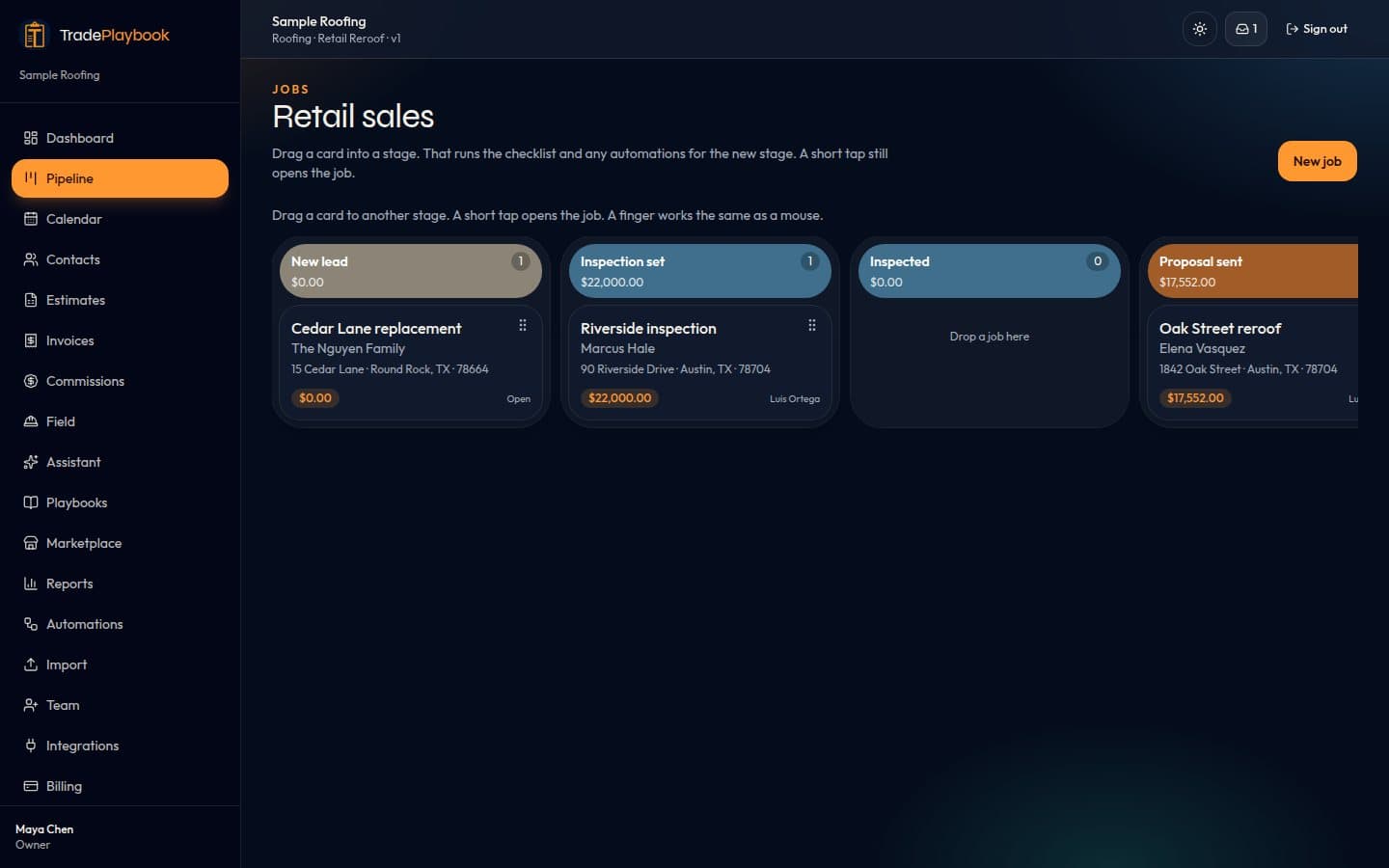
One board for every open job
See who the job is for, what it is worth, and which stage it is in. Drag it forward when the inspection is set or the proposal goes out. The office and the salesperson are looking at the same board.
Features
TradePlaybook is one CRM for the lead, the proposal, the invoice, and the calendar. The screens below are a sample roofing workspace, loaded so the product is not an empty board.
See who the job is for, what it is worth, and which stage it is in. Drag it forward when the inspection is set or the proposal goes out. The office and the salesperson are looking at the same board.
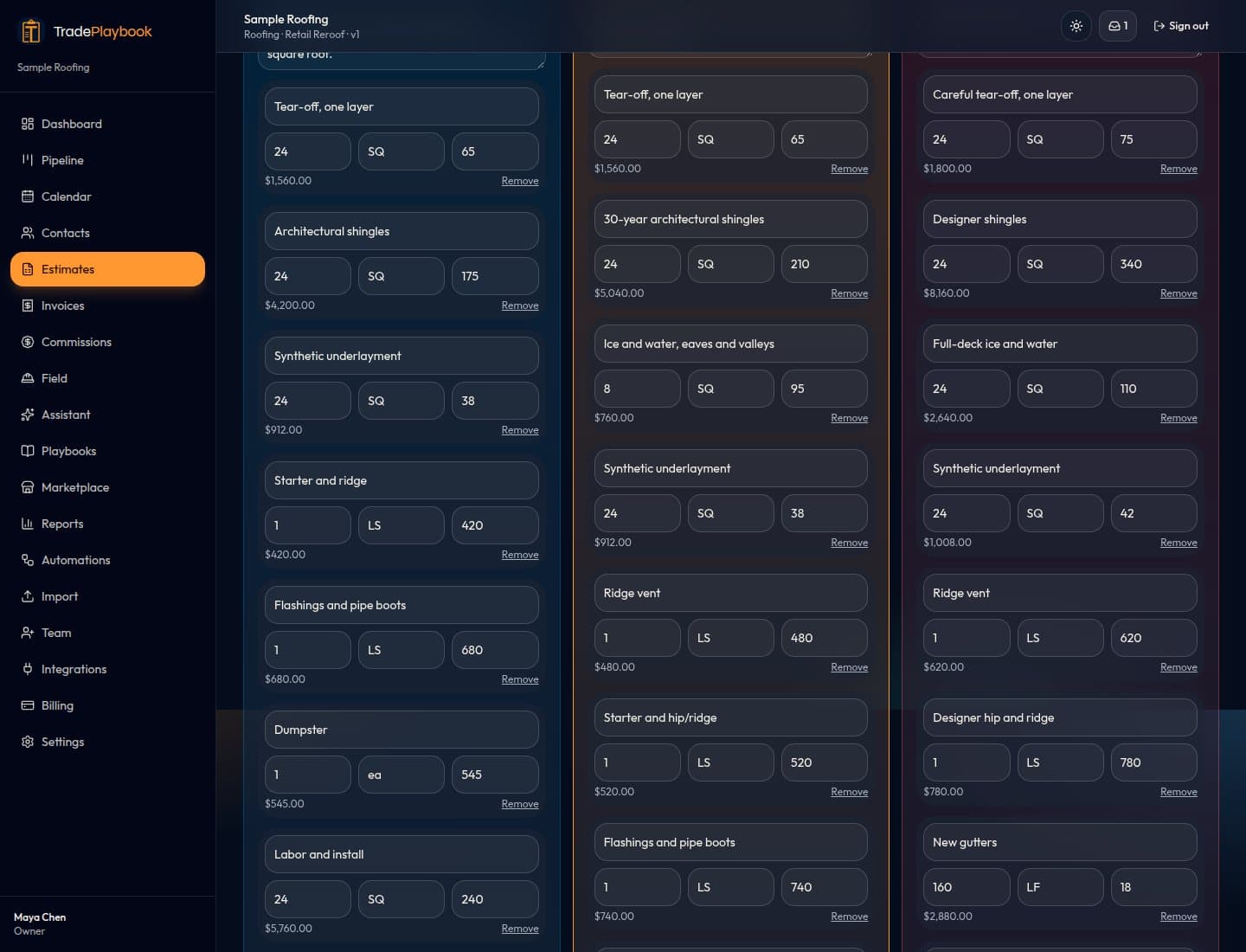
Estimates start from the playbook, with quantities you can edit before you send them. The homeowner opens a link, picks an option, and signs. The accepted option is the one you invoice.
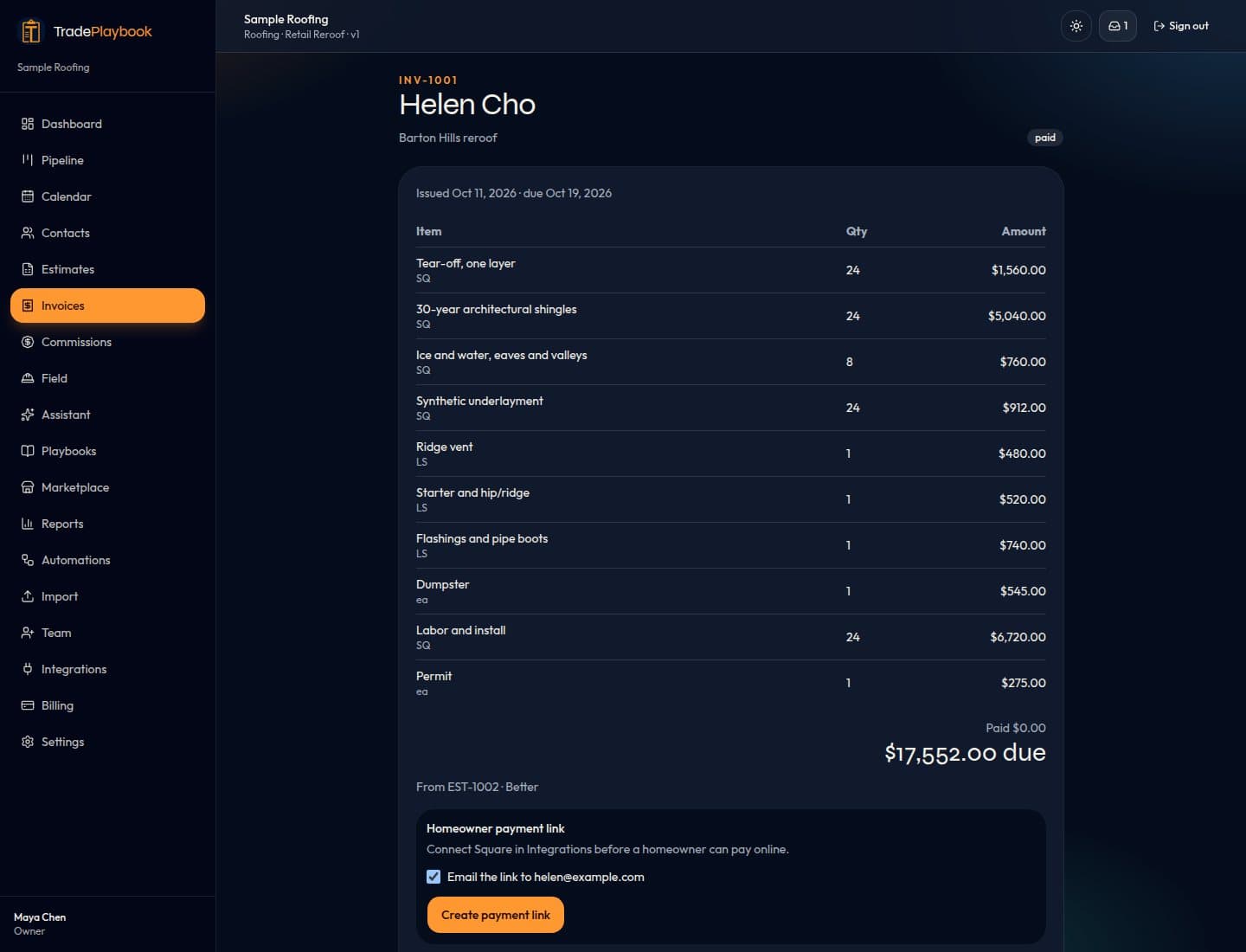
Turn the accepted option into an invoice and send a payment link. The homeowner pays by card through Square. Bank transfer is on that same link when the workspace has Square connected. TradePlaybook does not store the card or the bank login.
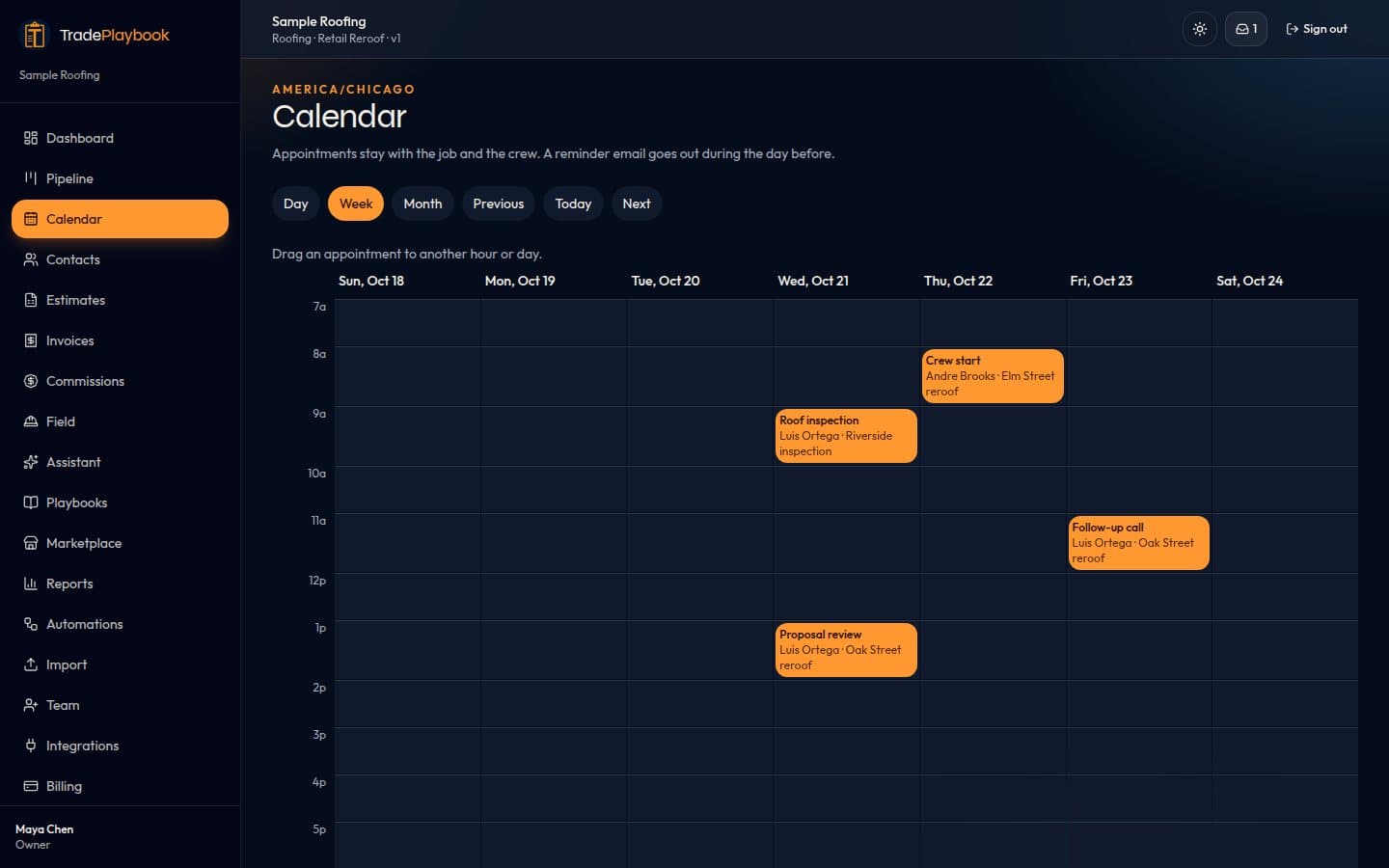
Put the inspection and the install on a calendar the office and the crew both open. Each appointment stays attached to the job, so the address is not in a second app.
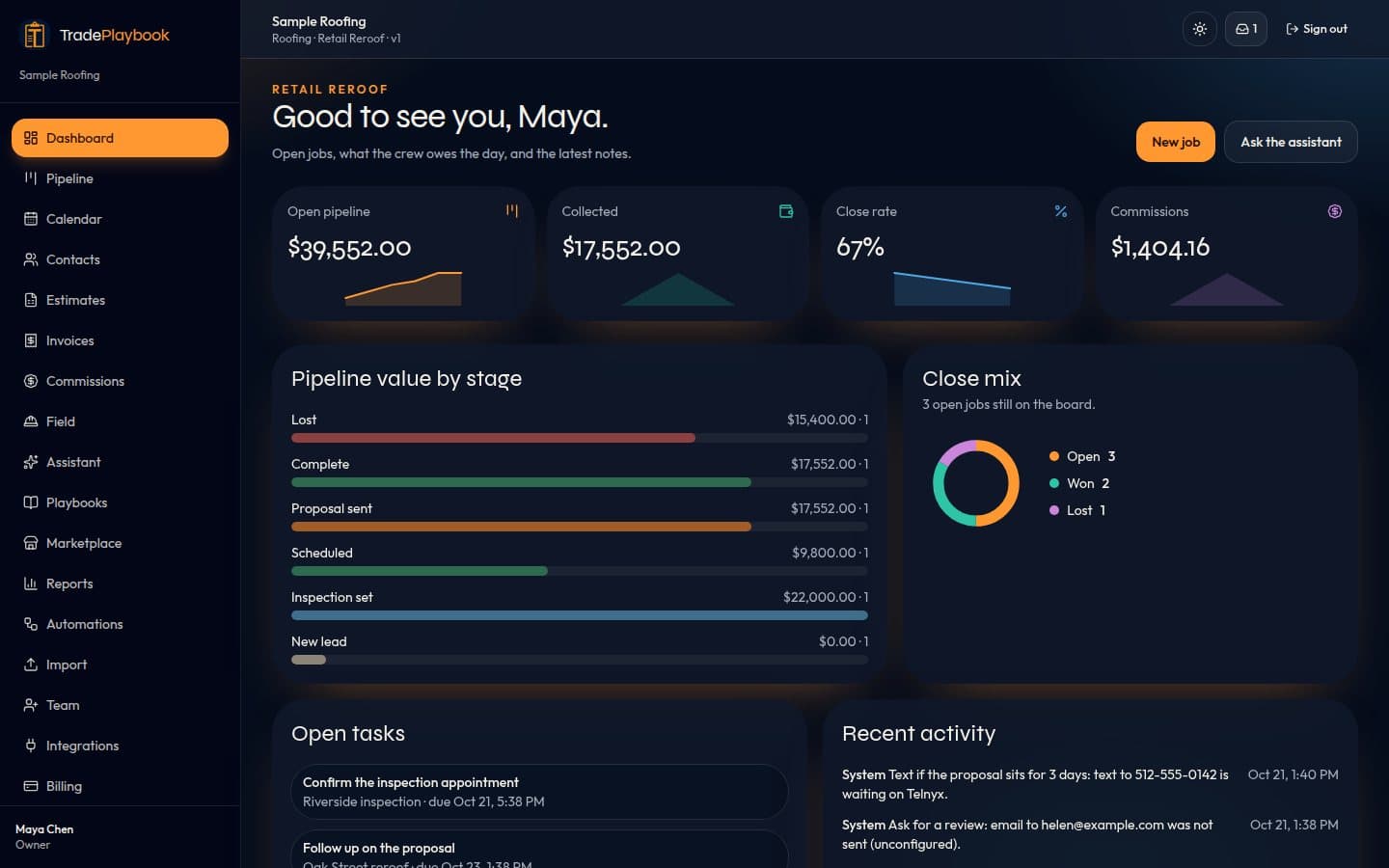
Open the day and see open jobs, what is due, and the latest notes. Reports on the Pro plan answer questions about jobs and money in plain language.
Roofing, siding, gutters, windows and doors, solar, HVAC, plumbing, electrical, painting, concrete, landscaping, fencing, decks, kitchen and bath remodeling, flooring, drywall, pest control, pools, garage doors, cleaning, handyman, and general contracting. Each playbook has stages, checklists, a price book, Good / Better / Best, proposal and contract text, follow-ups, commission, required photos, and fields. Edit them in the app, duplicate one, or reset it to the template. The assistant can rename a stage or add a price from chat. Solo and Crew keep one playbook. Pro includes up to 5. Trade Master has no cap.
Upload job photos and a measurement PDF. Grok reads the measurements it can see and drafts Good, Better, and Best from that playbook's price book. If it cannot find a measurement, it does not invent one.
The homeowner opens one link to see the proposal, choose an option and the colors, sign, look at photos and job updates, and pay an invoice by card or bank transfer when the workspace has Square connected.
Unsigned proposals and unpaid invoices follow the sequence on the playbook. Email sends now. A text step sends when texting is connected. Commission on a paid job shows on the commission report. The job page compares materials, labor, and commission with the contract, estimated and actual.
Crew and subs open a phone page for the checklist, a photo, and a sign-off. A sub does not use a paid seat and only sees assigned jobs. Financing is an in-house payment estimate plus a place for a partner link. Warranties record the manufacturer, the registration date, and the expiry.
A web form works without an extra key. Facebook Lead Ads, a Google lead-form webhook, and a pasted Angi or HomeAdvisor email land in the same list. A repeat email or phone does not open a second job. The shop picks the rep and the playbook. An email reply needs Resend. A text reply needs Telnyx. Facebook needs the Page id, a Page token, and FACEBOOK_APP_SECRET on the server. Unsigned Lead Ads posts are refused. Google needs the key saved in Inbox. There is no Angi mailbox connection and no Google Ads developer token.
Paste the shop's https Google review link. When an invoice is paid, the homeowner gets one request and one follow-up. Opening the link is tracked. Google does not tell TradePlaybook whether a review was posted.
Map columns on a CSV, or upload a JobNimbus, AccuLynx, or Jobber export for contacts, jobs, and estimates. These are files you download. The other accounts are not connected.
Owners and the office see new leads, jobs sitting in a stage, cash collected, and follow-ups due. The email needs Resend. A written summary uses Grok only when the model is configured, and only with numbers that are already in those counts.
EagleView, Roofr, and Hover JSON draft an estimate from the quantities in the file. A PDF still goes through the photo estimate, which does not invent a measurement. Live order pull needs each vendor's API keys. A material order emails ABC Supply, SRS, or Beacon. Their ordering APIs are not connected. An insurance claim stores the carrier, adjuster, supplements, and lines, with RCV, depreciation, and ACV. Export CSV. Xactimate is not connected.
The map shows a door only when a phone shared that location. Hail polygons show only when an https GeoJSON feed is configured. Add the site to a home screen. The offline page is a shell, and jobs are not stored on the device. Push needs VAPID keys and is not sent yet. iOS and Android wrappers load the hosted site. They are not store builds.
Texting and the receptionist need a Telnyx account. QuickBooks stays off until that account is connected. Facebook Lead Ads, the Google lead webhook, EagleView, Roofr, Hover, ABC Supply, SRS, and Beacon each need the keys named on their page. Angi, the supplier ordering APIs, Xactimate, and push delivery are not connected. A hail map stays empty until HAIL_GEOJSON_URL is set. None of these are required to run the CRM.